 Download
Hello? Caller ID is a user-friendly caller identification app that helps you identify unknown callers, block spam calls, and improve your communication efficiency.
Highlighted Features:
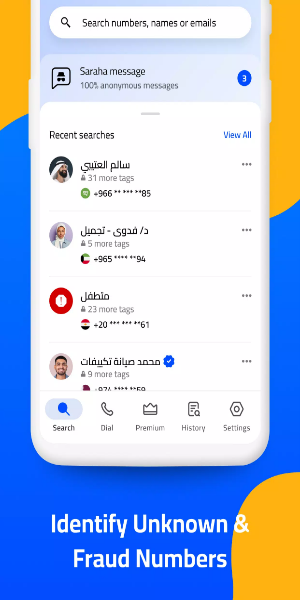
- Advanced Caller ID Recognition: Effortlessly identify unknown numbers and see caller ID names with the intuitive caller ID reader. You can also silence unrecognized callers.
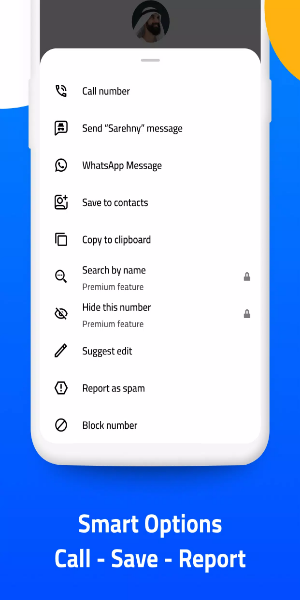
- Intelligent Call Blocking: Receive instant alerts for spam calls and easily block robocalls and other spam attempts, including aggressive advertising and harassment calls.
- Efficient Search Functionality: Easily find contacts by phone number, contact name, or email address with smart search capabilities.
- Custom Blocklists: Tailor your call blocking experience by creating personalized blocklists based on your call history.
- Theme Customization: Personalize the app interface with the option to switch between Light and Dark themes.
- Collaborative Spam Reporting: Contribute to the global fight against spam by adding identified spam risk numbers to a shared database for collective awareness and prevention efforts.
Hello? Caller ID Requests the Following App Permissions:
- Call log access: Allows the app to view your call log and identify caller phone numbers.
- Phone access: Enables detection of incoming and outgoing calls.
- Contacts access: Allows the app to determine if a caller is already in your contacts.
Please note! Hello? Caller ID does NOT gather, retain, or disclose your phone contact list to any external parties. - Overlay permission: Enables the display of incoming caller IDs over other apps on the call screen.
Getting Started:
Upon initial use, Hello? Caller ID offers configuration of various settings. Here's how to proceed:
- Launch Hello? Caller ID.
Register using your phone number.
- A 6-digit verification code will be sent via SMS to your device.
- Enter the received code to verify your phone number.
- Grant necessary permissions to the app.
Configure stability and usability settings:
- Disable battery optimization: Activate to ensure proper caller identification.
- Block low-rated callers: Enable to automatically reject calls from numbers with a rating of two stars or less.
- Customize app settings, such as switching to the Dark theme, if desired.
Conclusion:
Hello? Caller ID revolutionizes phone call management with its wealth of features. From its intuitive caller ID reader to its intelligent call blocking and personalized blocklist functionalities, the app empowers users to identify anonymous callers, thwart spam calls, and streamline communication. Its user-friendly interface and customization capabilities add further value to the user experience. Hello? Caller ID emerges as an indispensable tool for individuals seeking to take command of their incoming calls and establish a more efficient communication system.