
Disney Solitaire: Ultimate MAC Guide
Immerse yourself in the enchanting world of Disney Solitaire, where the classic game of solitaire meets the magic of Disney. With stunning artwork, soothing music, and beloved characters, it provides a delightful and relaxing card game experience. For those who enjoy larger screens and more precise controls, playing Disney Solitaire on a MAC device can elevate your gaming experience. A straightforward way to achieve this is by using BlueStacks Air, a lightweight Android app platform designed for MAC devices. This guide will walk you through the easy steps to set up Disney Solitaire on your MAC, ensuring a smoother and more enhanced gaming adventure.
Enjoy the Classic Solitaire with a Disney Twist!
One of the key benefits of playing Disney Solitaire on a MAC is the ability to use a keyboard and mouse, which provide more accurate control and make card-flipping tasks much simpler. During our playtest on a MacBook, we discovered that the game is remarkably easy to play. It's perfect for on-the-go entertainment, whether you're commuting, traveling, or simply relaxing. The casual nature of the gameplay is further enhanced on a MAC, thanks to the vivid and sharp visuals offered by the 4K retina display.
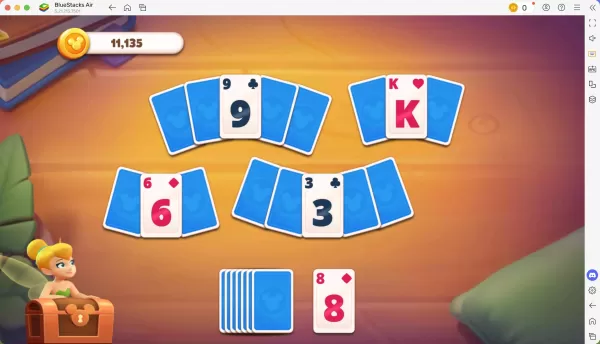
Progress Further with Precise Controls!
As you conquer each level in Disney Solitaire, you earn a star that can be used to unlock new cutscenes and characters, enriching the narrative of the story. When playing on a MAC with BlueStacks Air, you can customize controls for different actions within the game. BlueStacks Air assigns default controls to each game, including Disney Solitaire. To view these controls, simply press SHIFT + TAB on your Mac keyboard. If the default settings don't suit you, you can easily adjust them to create your own control schemes, setting different key bindings for various in-game activities.
How to Install and Start Playing Disney Solitaire on BlueStacks Air
Follow these simple steps to start playing Disney Solitaire on your Mac:
- Download BlueStacks Air: Visit the game’s page and click on the “Play Disney Solitaire on MAC” button to download the installer.
- Install BlueStacks Air: Double-click the BlueStacksInstaller.pkg file and follow the installation wizard to complete the setup.
- Launch and Sign-In: Open BlueStacks Air from your Launchpad or Applications folder. Sign in with your Google account to access the Play Store.
- Install Disney Solitaire: Search for Disney Solitaire in the Play Store and install it.
- Enjoy the Game! Launch the application and embark on your nostalgic journey through the Disney multiverse!
-
The James Gunn-led Phase 1 of the DC Cinematic Universe is now underway, launching with Gunn’s highly anticipated Superman film. According to the filmmaker and co-CEO of DC Studios, this movie is a cornerstone of the ambitious "Gods and Monsters" era, playing a vital role in shaping the overarchingAuthor : Emery Mar 11,2026
-
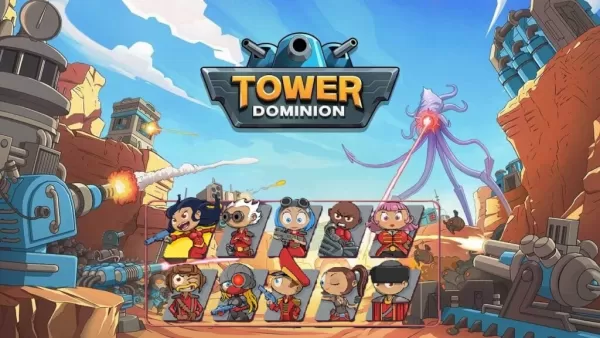 Nvizzio Creations has soft-launched Tower Dominion, a roguelike tower defense game. If you’re in Australia, New Zealand, or Canada, you can now download it on Android. The game first launched on PC this May.Terrain manipulation is a core element of TAuthor : Jason Mar 10,2026



















- Stardew Valley: How To Befriend Willy
- DISCOVERY CHANNEL TO UNVEIL CROSSOVER IN 'Reverse: 1999' 2.0
- Crunchyroll Game Vault adds Battle Chasers: Nightwar, Dawn of the Monsters, Evan’s Remains and more
- Hotta Studio's Open-World RPG, Neverness to Everness, Announced
- Military Strategy Game Warpath Launches a Navy Update with 100 New Ships
- Half-Life 3 Speculations Spark Again as Risk of Rain Original Devs Join Valve's Game Dev Team