
Fortnite Reload: Essential Guide and Tips
Ready to dive into the exciting world of Fortnite Mobile on your Mac? With our comprehensive guide, you can easily set up and enjoy Fortnite Mobile using BlueStacks Air. Let's explore the thrilling new Reload mode and learn how to play Fortnite Mobile on your Mac for an enhanced gaming experience.
What is Fortnite Reload?
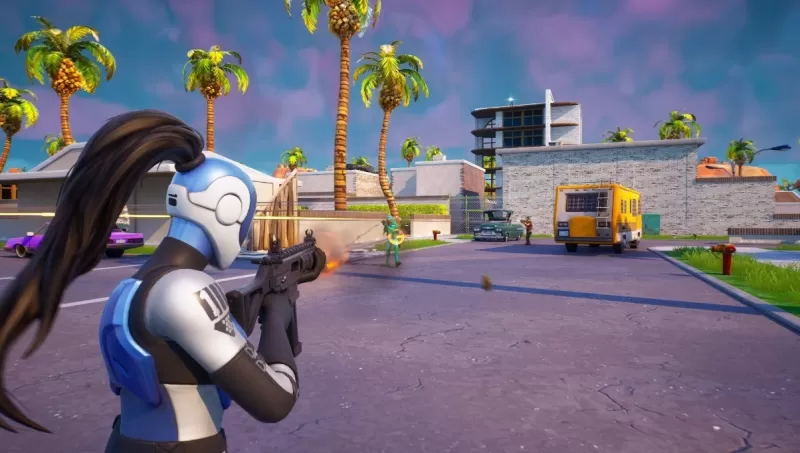
Fortnite Reload is an adrenaline-pumping, squad-based Battle Royale mode designed to keep the action intense and continuous. With only 40 players grouped on a smaller map, the stakes are high and the pace is fast. This mode brings back beloved locations such as Tilted Towers and Retail Row, ensuring a nostalgic yet thrilling experience. The unique feature of Fortnite Reload is the respawn mechanic: as long as one member of your squad remains alive, you can return to the fray after a short countdown. This mode is packed with advanced loot and gear, making matches swift and exhilarating, and it has been warmly embraced by the Fortnite community for its dynamic gameplay and engaging matchmaking.
How Does Fortnite Reload Differ from Other Game Modes?
Fortnite Reload stands out with its exclusive, smaller map designed specifically for this mode, accommodating 40 players for a more concentrated battle experience. You have the flexibility to choose between the traditional Battle Royale settings or the Zero Build option, catering to different play styles. Just like the standard Battle Royale and Zero Build modes, the last squad standing in Fortnite Reload earns the coveted Victory Crowns. This mode not only promises intense combat but also keeps the essence of Fortnite's classic gameplay intact.
Fortnite Reload Quests and Rewards
Engage in a variety of quests within Fortnite Reload to boost your account's experience and unlock exclusive rewards. Completing each quest earns you 20,000 EXP, and as you progress, you can unlock enticing rewards such as:
- Digital Dogfight Contrail – Complete three quests
- Pool Cubes Wrap – Complete six quests
- NaNa Bath Back Bling – Complete nine quests
- The Rezzbrella Glider – Earn a Victory Royale
For the best gaming experience, playing Fortnite Mobile on a larger screen using BlueStacks on your Mac is highly recommended. Enjoy seamless gameplay without worrying about battery life, and immerse yourself in the fast-paced action of Fortnite Reload.
-
At the Evo 2025 fighting game tournament, Arc System Works unveiled a first look at Lucy from Cyberpunk: Edgerunners and confirmed her August 21 release date as a DLC guest character. Lucy is the final playable character included in Strive’s Season PAuthor : Aurora Mar 18,2026
-
 SYBO and Miniclip are merging their hit mobile games for an unprecedented collaboration. The upcoming crossover between Subway Surfers and 8 Ball Pool will launch in phases, with exclusive in-game events for each title. Subway Surfers x 8 Ball PoolAuthor : Gabriel Mar 18,2026



















- Stardew Valley: How To Befriend Willy
- DISCOVERY CHANNEL TO UNVEIL CROSSOVER IN 'Reverse: 1999' 2.0
- Crunchyroll Game Vault adds Battle Chasers: Nightwar, Dawn of the Monsters, Evan’s Remains and more
- Hotta Studio's Open-World RPG, Neverness to Everness, Announced
- Military Strategy Game Warpath Launches a Navy Update with 100 New Ships
- Half-Life 3 Speculations Spark Again as Risk of Rain Original Devs Join Valve's Game Dev Team