
Nvidia App Causes FPS Drops in Some Games and PCs
Nvidia's New App: A Performance Bottleneck for Some Gamers?
Recent reports indicate that Nvidia's newly launched application is causing frame rate (FPS) drops in specific games and on certain PC configurations. This article explores this performance issue affecting Nvidia GPU users.
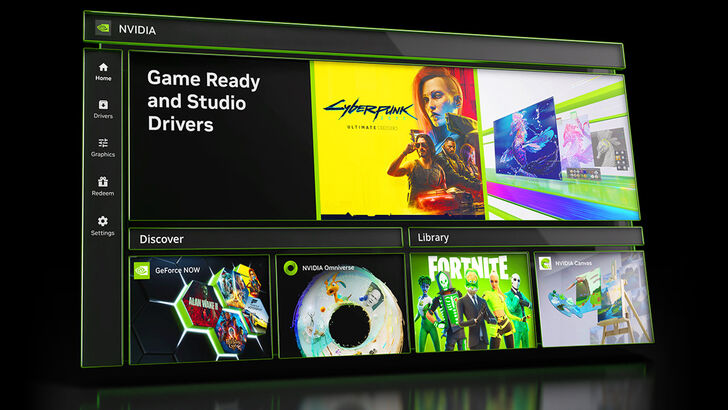
Frame Rate Instability Across Games and Systems
Testing by PC Gamer revealed inconsistent performance impacts. While some games, such as Cyberpunk 2077, showed no significant difference in FPS with the Nvidia app's overlay enabled or disabled, others, like Black Myth: Wukong, experienced a noticeable performance hit. Using a high-end Ryzen 7 7800X3D and RTX 4070 Super system, PC Gamer observed a 12% FPS drop at medium settings with the overlay active. Disabling the "Game Filters and Photo Mode" overlay offered a partial solution, but did not resolve the issue entirely for all users.
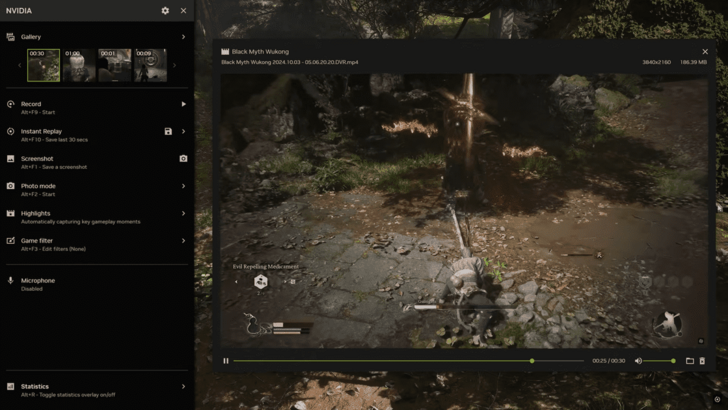
The issue has been discussed widely on platforms like Twitter (X), with users reporting unstable framerates and suggesting temporary workarounds, such as reverting to older graphics drivers. As of now, Nvidia hasn't addressed the problem beyond recommending the overlay disable.
The Nvidia App: A GeForce Experience Successor
Initially launched in beta in February 2024, the Nvidia App replaced GeForce Experience in November 2024. This new application provides enhanced features, including a streamlined overlay system and improved GPU optimization tools. However, the current performance issues highlight the need for further optimization and testing to ensure compatibility across a wider range of hardware and software configurations.
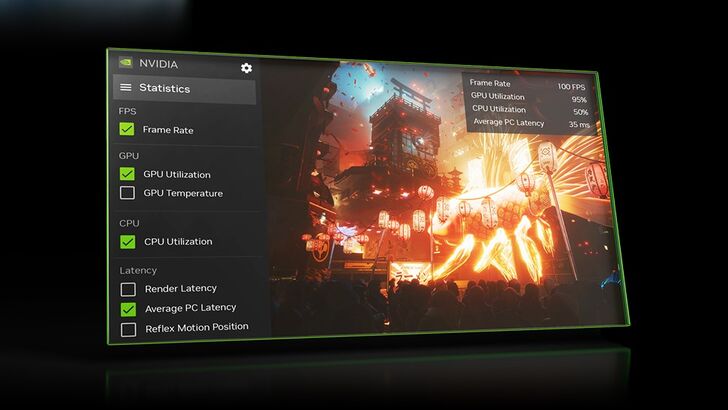
Nvidia's new app offers potential benefits but requires immediate attention to the reported performance problems. Until a comprehensive fix is released, users experiencing FPS drops should consider temporarily disabling the overlay or reverting to previous drivers as potential workarounds.
-
 Enter the realm of Windrider Origins, an exhilarating fantasy RPG that masterfully combines dynamic combat with deep character development. Players find themselves in a painstakingly crafted world brimming with peril and discovery, where selecting thAuthor : Skylar Apr 10,2026
 -
Rumors are swirling that Sony may be gearing up to introduce cross-platform purchasing for its games, following the appearance of a "Cross-Buy" graphic on the PlayStation Store. This has fueled speculation that players might soon buy a game once andAuthor : Mia Apr 04,2026
-
 Back Game tales Mod ApkDownload
 -
 Water World SurvivalDownload
 -
 One direction Tiles Hop EDM RuDownload
 -
 President onlineDownload
 -
 Dangerous Fellows:Otome Dating ModDownload
 -
 Pixel Gun 3D - FPS ShooterDownload
 -
 Gartic.io - Draw, Guess, WINDownload
 -
 Gacha Evolution ModDownload
 -
 Classic Mahjong Earn BTCDownload
 -
 KOGA DominoDownload










- Retro-Style Arcade Racer Victory Heat Rally Is Coming To Mobile Soon Via Crunchyroll!
- DISCOVERY CHANNEL TO UNVEIL CROSSOVER IN 'Reverse: 1999' 2.0
- Crunchyroll Game Vault adds Battle Chasers: Nightwar, Dawn of the Monsters, Evan’s Remains and more
- Hotta Studio's Open-World RPG, Neverness to Everness, Announced
- Military Strategy Game Warpath Launches a Navy Update with 100 New Ships
- Half-Life 3 Speculations Spark Again as Risk of Rain Original Devs Join Valve's Game Dev Team