
Top 5 1080p Gaming Monitors of 2025
In the vibrant world of PC gaming, the debate between 1440p and 4K monitors often steals the spotlight. Yet, according to Steam's Hardware Survey, the majority of gamers still prefer the reliable 1080p resolution. The reasons are clear: affordability and performance. With a wide range of options available, choosing the perfect 1080p monitor can feel overwhelming. But don't worry, I'm here to guide you through the best choices for 2025, starting with my top pick, the Asus TUF Gaming VG279QM. Let's dive into the best 1080p gaming monitors that will enhance your gaming experience without breaking the bank.
TL;DR – These Are the Best 1080p Gaming Monitors:
 Our Top Pick### Asus TUF Gaming VG279QM
2See it at Amazon ### Samsung Odyssey G30D
1See it at AmazonSee it at Best Buy  ### AOC Gaming C27F2Z
2See it at Amazon ### Acer Nitro ED6 (ED306C Xbmiippx)
2See it at Amazon ### BenQ Zowie XL2586X+
0See it at Amazon
Opting for a 1080p gaming monitor brings numerous advantages. Not only are they more budget-friendly than their 1440p and 4K counterparts, but they also boast high refresh rates up to 500Hz, ensuring a seamless gaming experience. They support technologies like AMD FreeSync and Nvidia G-Sync, which further enhance gameplay. The lower pixel count of 1080p monitors means they are easier on your GPU, allowing even entry-level graphics cards to deliver impressive performance. However, keep in mind that 1080p monitors might appear less sharp above 27 inches. If you're looking for higher resolutions, be sure to check out our list of the best gaming monitors of 2025.
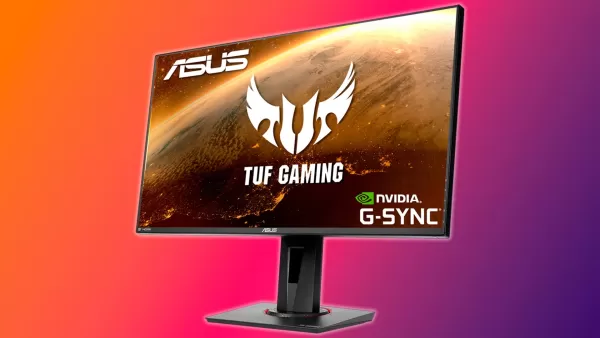 1. Asus TUF Gaming VG279QM
Best 1080p Gaming Monitor
Our Top Pick### Asus TUF Gaming VG279QM
2A 27-inch Full HD display with an overclockable 240Hz refresh rate, low input lag, and adaptive sync for smooth action.
See it at Amazon
Product Specifications
- Screen size: 27"
- Aspect ratio: 16:9
- Resolution: 1,920 x 1,080
- Panel type: IPS, FreeSync, G-Sync compatible
- Brightness: 400cd/m²
- Refresh rate: 240Hz, 280Hz (OC)
- Response time: 1 ms (GTG)
- Inputs: 2 x HDMI 2.0, 1 x DisplayPort 1.2
PROS
- Great value for money
- FreeSync support and G-Sync compatibility
CONS
- No local dimming
The Asus TUF Gaming VG279QM stands out as the best 1080p gaming monitor for most gamers. Priced under $300, it offers a vibrant and fast screen with an impressive 280Hz refresh rate. Its low input lag and support for variable refresh rates ensure that your games run smoothly, free from screen tearing. The monitor's 27-inch size is perfect for its resolution, providing a spacious yet sharp image. With a peak brightness of 400 nits, it's suitable for various lighting conditions, enhancing the dynamic range and color vibrancy. Although it's DisplayHDR 400 certified, don't expect the deep contrasts of true HDR monitors. Overall, the VG279QM's blend of price, features, and performance makes it the top choice for 2025.
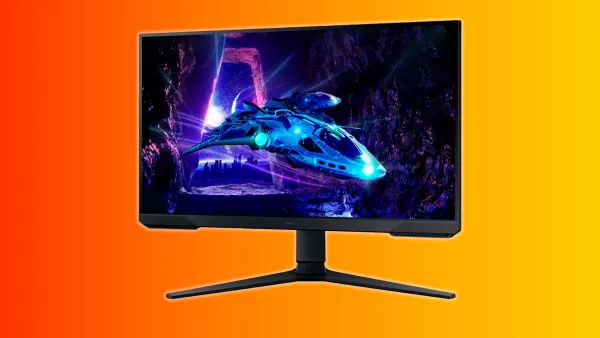 2. Samsung Odyssey G30D
Best Budget 1080p Monitor
### Samsung Odyssey G30D
1This gaming monitor is small but mighty, offering a solid picture and great gaming performance at a low price.
See it at AmazonSee it at Best Buy
Product Specifications
- Screen size: 24"
- Aspect ratio: 16:9
- Resolution: 1,920 x 1,080
- Panel type: IPS, FreeSync, G-Sync Compatible
- Brightness: 250cd/m²
- Refresh rate: 180Hz
- Response time: 1ms
- Inputs: 1x HDMI, 1x DisplayPort
PROS
- Color-rich screen
- 1ms response time
- High refresh rate
CONS
- Middling peak brightness
Finding a budget-friendly gaming monitor can be tricky, but the Samsung Odyssey G30D offers a reliable solution at around $120. This 24-inch IPS panel delivers vibrant colors and a swift 1ms response time, ideal for gaming. With a 180Hz refresh rate and variable refresh rate support compatible with AMD FreeSync and Nvidia G-Sync, it ensures smooth gameplay without tearing. While its peak brightness of 250 nits may limit its use in direct sunlight, it's perfectly suitable for typical room lighting. The single HDMI and DisplayPort may limit multi-device connectivity, but for single PC setups, it's a non-issue. With a one-year warranty from a trusted brand, the G30D provides great value for budget-conscious gamers.
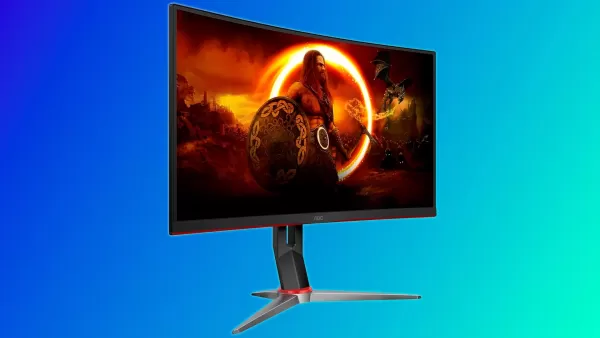 3. AOC Gaming C27G2Z
Best Curved 1080p Monitor
### AOC Gaming C27F2Z
21080p gamers will love this monitor's balance of an immersive curve, spacious screen, and fast refresh rate.
See it at Amazon
Product Specifications
- Screen size: 27" 1500R
- Aspect ratio: 16:9
- Resolution: 1,920 x 1,080
- Panel type: VA, FreeSync
- Brightness: 300cd/m²
- Refresh rate: 240Hz
- Response time: 0.5ms
- Inputs: 2 x HDMI 2.0, 1 x DisplayPort
PROS
- Low input latency
- Rapid response time
- Vibrant colors and good contrast
CONS
- May require calibration and OSD adjustments to bring it to taste
Priced at around $150, the AOC Gaming C27G2Z offers exceptional value for a curved 240Hz gaming monitor. Its 1500R curve strikes the perfect balance, enhancing immersion without distorting text. The VA panel provides rich colors and a high 3000:1 contrast ratio, ensuring deep blacks and shadows. With a 240Hz refresh rate and 0.5ms response time, it's well-suited for competitive gaming. However, the out-of-the-box settings may need adjustments for optimal color and contrast. For those willing to fine-tune, the C27G2Z delivers a compelling gaming experience at a budget-friendly price.
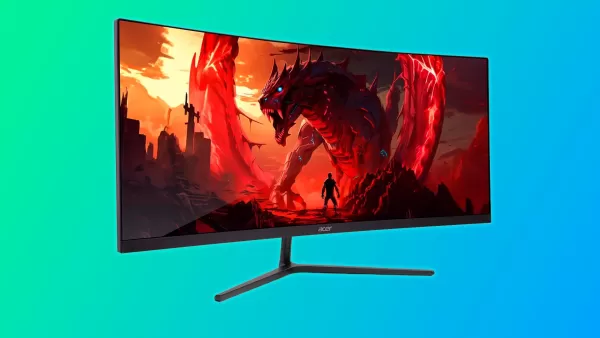 4. Acer Nitro ED6 (ED306C Xbmiippx)
Best Ultrawide 1080p Monitor
### Acer Nitro ED6 (ED306C Xbmiippx)
2At less than $200, this curved gaming monitor offers a great picture, fast refresh rate, solid color coverage, and an immersive curve.
See it at Amazon
Product Specifications
- Screen size: 29.5"
- Aspect ratio: 21:9
- Resolution: 2,560x1,080
- Panel type: VA, AMD FreeSync Premium, Nvidia G-Sync compatible
- Brightness: 350cd/m²
- Refresh rate: 200Hz
- Response time: 1ms
- Inputs: 2 x HDMI 2.0, 2 x DisplayPort 1.2
PROS
- Good color coverage and deep contrast
- Immersive 1500R curve
- 2x HDMI and DisplayPort jacks
CONS
- Out of the box color accuracy
The Acer Nitro ED6 is a standout ultrawide monitor, priced under $200. Its 29.5-inch screen with a 21:9 aspect ratio offers a spacious, immersive gaming experience. The VA panel delivers excellent color and contrast, complemented by a 200Hz refresh rate for smooth gameplay. Its 1500R curve enhances the visual experience without compromising text clarity. While the out-of-the-box color accuracy might need tweaking, the ED6's combination of performance, design, and price makes it an excellent choice for ultrawide enthusiasts.
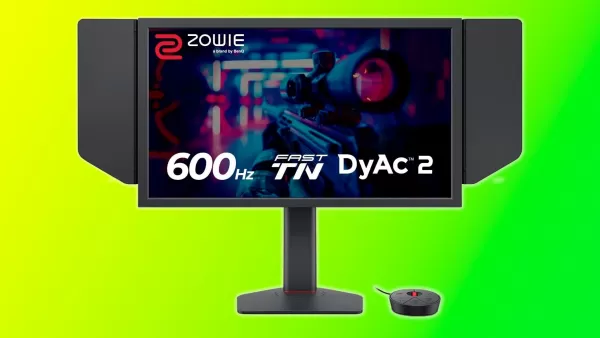 5. BenQ Zowie XL2586X+
Best 1080p Monitor for Esports
### BenQ Zowie XL2586X+
0This monitor is as fast as they come with its 600Hz refresh rate but also includes additional features to offer an engaging picture and a competitive edge.
See it at Amazon
Product Specifications
- Screen size: 24.1"
- Aspect ratio: 16:9
- Resolution: 1,920 x 1,080
- Panel type: TN
- Brightness: 320cd/m²
- Refresh rate: 600Hz
- Inputs: 3 x HDMI 2.1, 1 x DisplayPort 1.4, 1 x 3.5mm audio jack
PROS
- Insanely fast
- DyAc 2 for improved motion clarity
- Color enhancing film
- Trusted esports brand commonly found in professional tournaments
CONS
- Very expensive
- TN colors and viewing angles aren't great
In the realm of competitive gaming, the BenQ Zowie XL2586X+ reigns supreme. With a staggering 600Hz refresh rate, it offers unparalleled speed and responsiveness, ideal for esports athletes seeking every possible advantage. Despite the high cost of $999, its features justify the investment for serious competitors. The TN panel, while not ideal for color or viewing angles, excels in motion clarity, thanks to Zowie's DyAc 2 technology and a color-enhancing film. If you're committed to competitive gaming and can afford it, the XL2586X+ is the ultimate choice.
How to Choose a 1080p Monitor
When selecting a 1080p monitor, consider these key factors:
Size: Opt for a monitor that fits your space. To maintain image clarity, I recommend sticking to 27 inches or smaller.
Panel Type: Choose between IPS for superior color and viewing angles, or VA for better contrast. TN panels are less recommended unless you're focused on esports.
Refresh Rate: Aim for at least 120Hz for smoother gaming, with 144Hz being a sweet spot for most gamers.
Brightness: Look for monitors with at least 300 nits for good visibility in various lighting conditions.
Additional Features: Variable refresh rate technologies like FreeSync or G-Sync can enhance your gaming experience by eliminating screen tearing.
1080p Gaming Monitor FAQ
Is a 1080p monitor worse than 1440p?
A 1080p monitor has a resolution of 1920x1080 pixels, while a 1440p monitor boasts 2560x1440 pixels, offering a crisper image. However, 1080p monitors are easier to run and more affordable, making them a popular choice for gamers looking to maintain high frame rates without expensive hardware.
What is the best size for a 1080p monitor?
For optimal clarity and space, I recommend a 1080p monitor size of 27 inches or smaller. Larger sizes may show visible pixels, leading to a softer image.
How much should I pay for a 1080p monitor?
Prices vary based on size, features, and performance, but you can find excellent 1080p gaming monitors for under $200. This is a great starting point for new PC gamers looking for value and performance.
-
 This week's free game lineup on the Epic Games Store mobile app is here, and it features DC Heroes United alongside Shapez.Whether you love factory simulations or superhero action, there's something for everyone. The games are free to claim from JuneAuthor : Andrew Apr 24,2026
 -
 Shadow Fortress is the new elite dungeon featuring high-stakes encountersNew Imprint System lets you push your stats furtherThe Summer Island event features loads of rewards to gatherOdin: Valhalla Rising is turning up the heat this summer with its sAuthor : Camila Apr 22,2026












- Retro-Style Arcade Racer Victory Heat Rally Is Coming To Mobile Soon Via Crunchyroll!
- DISCOVERY CHANNEL TO UNVEIL CROSSOVER IN 'Reverse: 1999' 2.0
- Crunchyroll Game Vault adds Battle Chasers: Nightwar, Dawn of the Monsters, Evan’s Remains and more
- Hotta Studio's Open-World RPG, Neverness to Everness, Announced
- Military Strategy Game Warpath Launches a Navy Update with 100 New Ships
- Golden Joystick Awards 2024 Was a Big Showing for Indie Games