Download
Smart app that simplifies commuting—Where’s My Bus?
Where’s My Bus?, the smart application that enhances public transportation in Istanbul, now offers even more user-friendly interfaces and a robust, upgraded infrastructure!
Where’s My Bus? is the official app of Istanbul Metropolitan Municipality’s General Directorate of IETT Operations. Use it to explore bus line routes, check timetables, and see which lines serve each stop.
Just ask Where’s My Bus? for the best way to get to your destination!
View nearby stops, Istanbulkart top-up points, and İspark locations in both list and map formats.
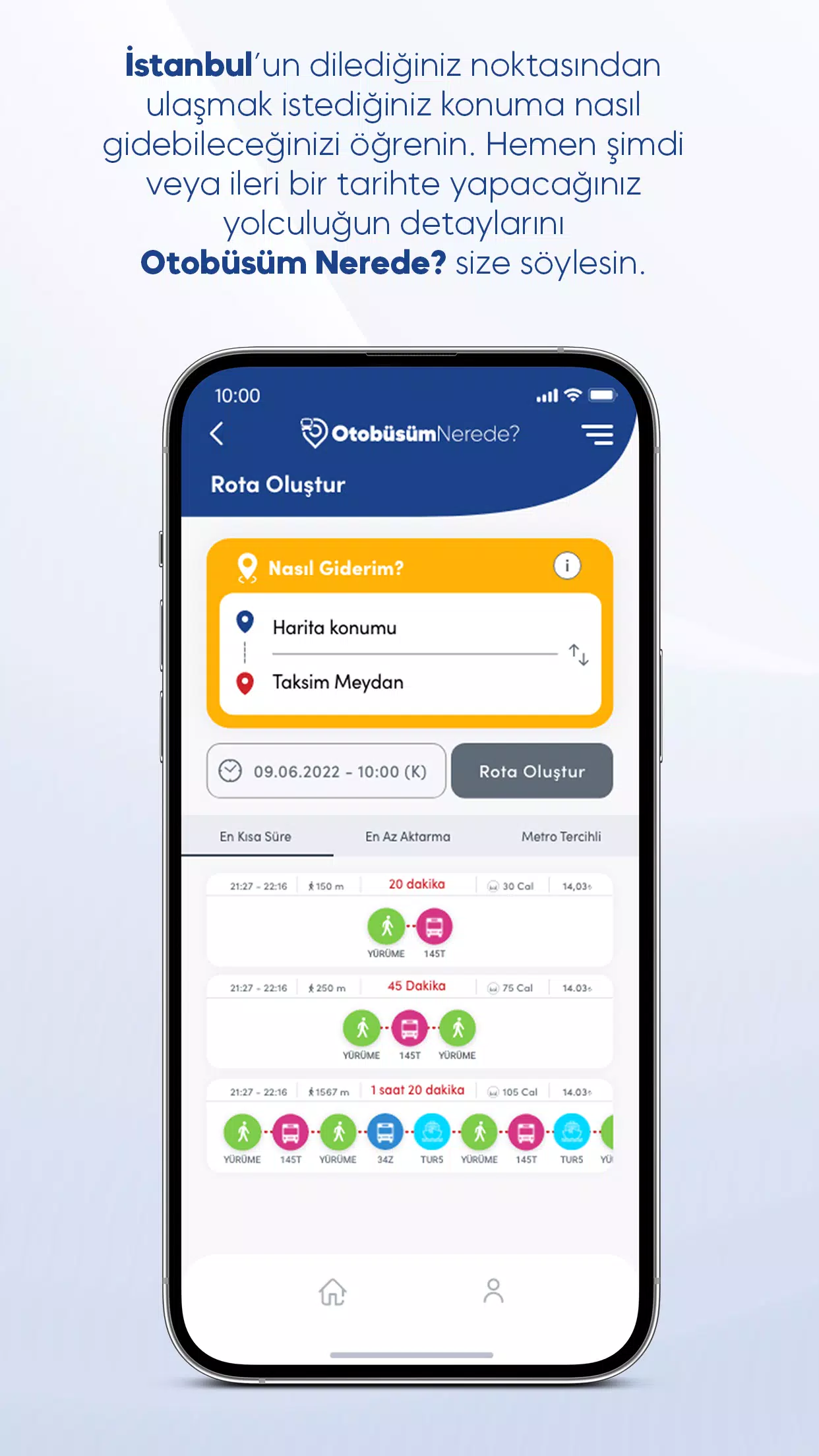
Ask “How Can I Go?” on Where’s My Bus!
Travel across Istanbul using public transport by choosing from multiple route options. To explore alternatives, simply enter your starting point and destination in the “How to Go” menu and set your travel date & time. You can also plan around your departure or arrival time. Where’s My Bus? suggests routes based on your preference—fastest journey or minimal walking? Pick the option you prefer and review its details. You can even follow your chosen route on the map.
Find stops near you
Open the “Stops Near Me” menu to see the closest stops listed by distance. Tap any stop to view its details, including which bus lines serve it and real-time arrival estimates. Switch to map view to see stop locations and get directions.
Locate other useful transport spots nearby
Discover the nearest Istanbulkart filling stations and İspark parking lots. Where’s My Bus? shows you their distances, parking capacities, and lot types (like open-air or multi-story). You can also examine these points on the map and get directions from your current location.
Access line and route details
Search by line name to review main and branch routes. On the line detail page, select a route to see all stops along the way. Track buses in real time—branch routes are color-coded for easy identification. Switch to map view to display all routes for the selected line. Use the filter icon in the map’s top-left corner to toggle which routes appear.
Plan your trip with schedule information
Access timetables by clicking the Timetables button on the homepage or on any line detail page. The schedule table shows times for the main route, while branch-route times are highlighted in specific colors. Check the Route Information section to see which color corresponds to each branch route.
Stay updated with announcements
On any line or stop detail page, tap the Announcements icon to see real-time updates relevant to that line or station. You can also review past announcements for all lines, stops, schedule changes, and route adjustments from the Announcements page in the side menu.