 Download
Introducing Private Browser-Change Icon, the Ultimate Privacy Keeper for Your Web Browsing
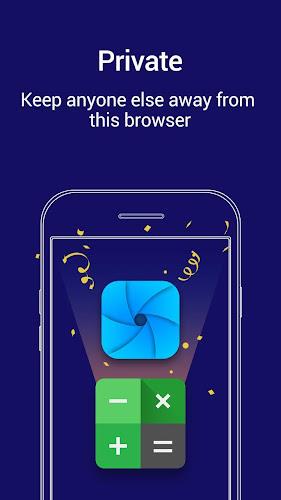
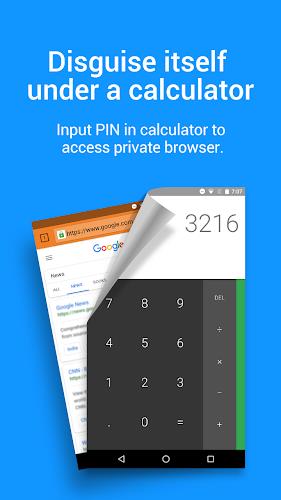
Tired of intrusive ads and prying eyes? Private Browser-Change Icon is here to revolutionize your web browsing experience with its innovative approach to privacy. This app cleverly disguises itself as a calculator, ensuring that no one will ever suspect you're using a browser. Simply enter your PIN in the calculator, and voila! You'll have access to a fully featured browser with lightning-fast speed.
But Private Browser-Change Icon doesn't stop there. It takes your privacy to the next level with features like:
- Download Encryption: Your videos and pictures are encrypted, making them unrecognizable to other apps or system libraries. This ensures that your downloaded content remains secure and accessible only within the browser.
- Powerful Ad-Blocker: Say goodbye to annoying ads, pop-ups, banners, and specific JavaScript. Private Browser-Change Icon's built-in ad-blocker provides a comfortable and seamless browsing experience while reducing data usage.
- Incognito Mode: Enjoy complete privacy with incognito mode, which ensures that your browsing history, cookies, and cache are completely wiped out.
Beyond its privacy features, Private Browser-Change Icon also offers:
- Super Speed Rendering: Optimized with the system-level component Webview, Private Browser-Change Icon is faster than standalone app browsers, delivering superior rendering speed on your phone.
- Convenient Features: Enjoy text search, personalized bookmarks, and multi-tab control for a streamlined browsing experience.
Features of Private Browser-Change Icon:
- Camouflage: The app disguises itself as a calculator, ensuring privacy and making it difficult for others to detect.
- Keep Away from Others: Even if someone else uses your phone, they won't be able to find the private browser as it appears as a calculator. Access is granted by entering a PIN in the "calculator."
- Download Encryption: The browser encrypts downloaded files, making them unrecognizable to other apps or system libraries. This ensures that videos and pictures can only be opened and viewed within the browser.
- Adblocker: The app includes a powerful built-in ad-blocker, effectively blocking annoying ads, pop-ups, banners, and specific JavaScript. This not only provides a comfortable browsing experience but also reduces data usage.
- Incognito Mode: Browsing in incognito mode ensures that no history, cookies, cache, or other traces are left behind, guaranteeing a perfectly private and secret browsing experience.
- Super Speed: Private Browser is optimized with the system-level component Webview, making it faster than standalone app browsers. It offers superior rendering speed on your phone.
Conclusion:
Private Browser-Change Icon is the ultimate privacy protector for web browsing. With its camouflage, download encryption, adblocker, incognito mode, super speed, and more, it provides a secure and seamless browsing experience. By disguising itself as a calculator, it ensures that no one else can access your private browsing activities. Download now to enjoy a fast, secure, and private browsing experience.