 Download
Samsung My Files: Your Ultimate Smartphone File Manager
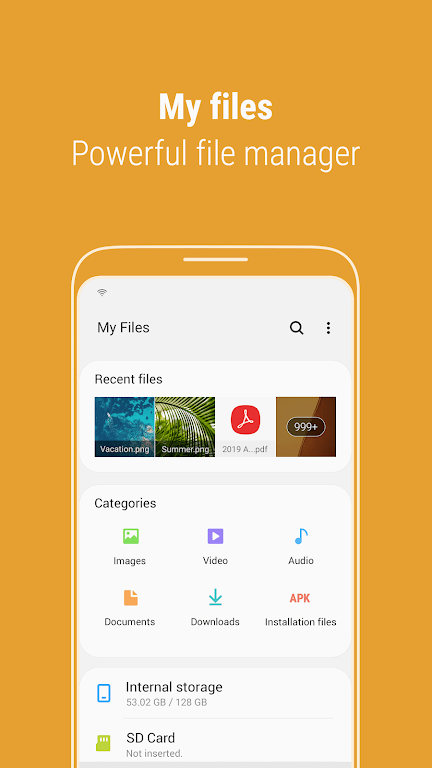
Samsung My Files is a powerful file management application designed to streamline your smartphone's file organization. Functioning similarly to a computer's file explorer, it provides easy browsing and organization of all your device's files. But its capabilities extend beyond simple browsing; it also manages files stored on SD cards, USB drives, and cloud storage services linked to your phone. With intuitive controls, you can quickly free up storage space and hide unused areas. Convenient features, such as a Recent Files list, categorized views, and the ability to create shortcuts, enhance the user experience significantly. Take control of your digital life with Samsung My Files – download it today!
Key Features of Samsung My Files:
-
Storage Space Optimization: Instantly free up storage using the convenient "Storage Analysis" tool directly on the main screen.
-
Personalized Home Screen: Customize your My Files home screen by hiding unused storage areas for a cleaner interface.
-
Enhanced File Viewing: View complete file names, eliminating truncated displays, by using the "Listview" option.
-
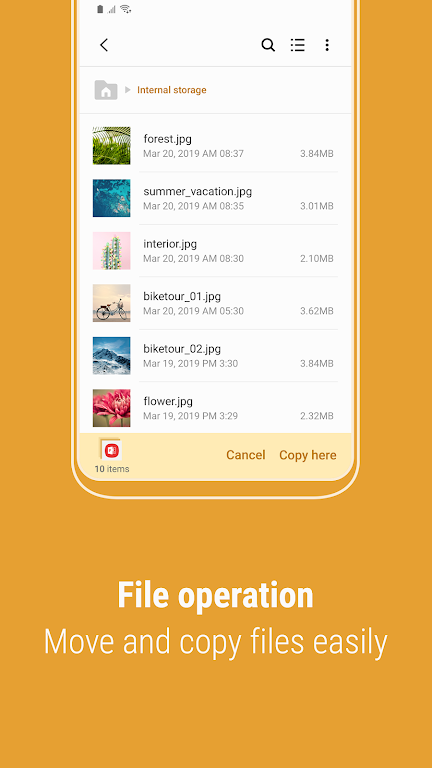
Comprehensive File Management: Effortlessly browse, manage, and manipulate files located on your phone, SD card, or USB drive. Create folders, move, copy, share, compress, decompress files, and access detailed file information.
-
User-Friendly Design: Easily access recently accessed files via the Recent Files list. Categorize files by type (documents, images, audio, video, APKs) for quick retrieval. Create file and folder shortcuts for immediate access from your home screen and the My Files main screen.
-
Storage Management: The app provides comprehensive storage analysis and cleanup functions to ensure ample space for your important data.
In Summary:
Samsung My Files offers a centralized solution for all your file management needs. Its intuitive design, coupled with features like storage analysis, customizable views, and improved file display, simplifies file organization and access. The Recent Files list and file categorization tools ensure effortless file retrieval. Download Samsung My Files now and experience seamless and efficient file management.