
Fix Final Fantasy 7 Rebirth Stuttering on PC: Simple Solutions
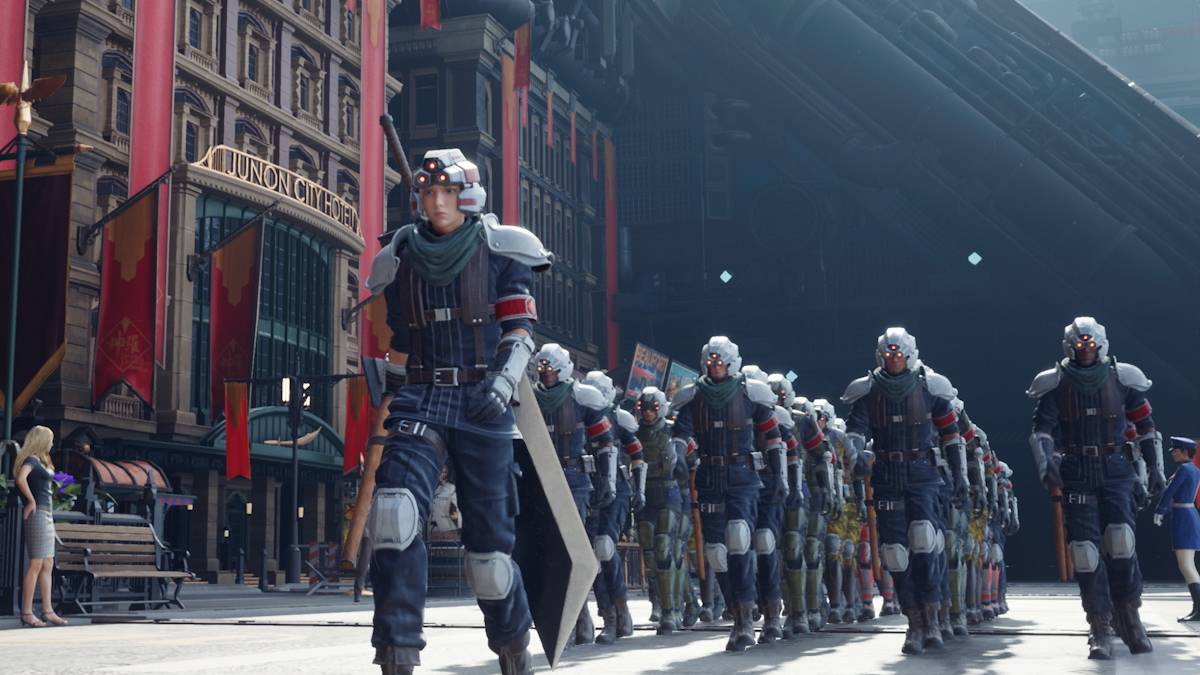
Alas, the curse of poor optimization has also struck *Final Fantasy 7 Rebirth*. After its much-anticipated release on PC, numerous players have reported experiencing frustrating stuttering. Fortunately, there are several effective solutions to help mitigate these issues.
Table of Contents
- Lower Graphics Settings
- Update Your GPU Driver
- Use Mods
- Change Your Nvidia Settings
Final Fantasy 7 Rebirth PC Stuttering Solutions
Lower Graphics Settings
*Final Fantasy 7 Rebirth* is a graphically intensive game, demanding robust hardware to run smoothly. To combat stuttering, ensure your PC meets or exceeds the recommended system specifications. If you're just scraping by with the minimum requirements, you'll need to adjust your graphics settings. Access the in-game menu and navigate to the graphics options. Begin by setting everything to the lowest possible settings and incrementally increase them, closely monitoring the game's performance as you do so.
Another tweak you might consider is changing your Display Sync Technology to Variable Refresh Rate (VRR). Some players have found this adjustment helps reduce lag and stutter, though it may introduce some minor visual artifacts.
Update Your GPU Driver
In addition to tweaking your graphics settings, keeping your GPU drivers up to date is crucial. Newer driver versions often include optimizations for recently released games. Nvidia users should open GeForce Experience and check for updates under the Drivers tab. AMD users can do the same via the AMD Adrenalin Edition software, where the main menu will indicate if an update is available.
Related: All Minigames in FF7 Rebirth, Ranked from Worst to Best
Use Mods
For those comfortable with mods, there are options that can significantly enhance the game's performance. Two recommended mods are Fantasy Optimizer and Ultimate Engine Tweaks. These mods are straightforward to install: create a mod folder in the game’s directory, add the mod files, and you're set. For a more user-friendly approach, consider using Vortex Mod Manager from Nexus Mods. Keep in mind that Ultimate Engine Tweaks requires the use of FFVIIHook for full functionality.
Change Your Nvidia Settings
Nvidia users have another avenue to explore for reducing stutter. In the Nvidia Control Panel, navigate to the Graphics section and enable both V-Sync and G-Sync. However, ensure that V-Sync is disabled within the game itself. Additionally, adjust the Low Latency Mode to either 'On' or 'Ultra' to further optimize your gameplay experience.
With these solutions, you should be able to significantly reduce, if not eliminate, the stuttering issues in *Final Fantasy 7 Rebirth*.
*Final Fantasy 7 Rebirth is available now on PlayStation and PC.*
-
 The gaming landscape keeps advancing, and with groundbreaking solutions like BlueStacks Air, enjoying Android games on Mac has reached new heights of convenience and entertainment. Honkai: Star Rail stands out as a prime example - HoYoverse's turn-baAuthor : Aaliyah Apr 15,2026
 -
 Following today's Nintendo Direct presentation for the Switch 2, Nintendo has officially announced a retail price of $449.99.The Nintendo Switch 2, launching on June 5, 2025, was fully unveiled today, with pre-orders set to begin on April 9.“The NintAuthor : Riley Apr 15,2026













- Retro-Style Arcade Racer Victory Heat Rally Is Coming To Mobile Soon Via Crunchyroll!
- DISCOVERY CHANNEL TO UNVEIL CROSSOVER IN 'Reverse: 1999' 2.0
- Crunchyroll Game Vault adds Battle Chasers: Nightwar, Dawn of the Monsters, Evan’s Remains and more
- Hotta Studio's Open-World RPG, Neverness to Everness, Announced
- Military Strategy Game Warpath Launches a Navy Update with 100 New Ships
- Golden Joystick Awards 2024 Was a Big Showing for Indie Games